Tiki-1 VulnHub Writeup: When CMS Security Goes Tiki-Toki Wrong
Complete Tiki CMS 21 exploitation featuring CVE-2020-15906 authentication bypass
Attack Chain Overview
Network Discovery
"Marco!" ... "Polo!"
Port Scanning
Technical reconnaissance symphony
Web App Discovery
Following the breadcrumbs
SMB Enumeration
The gift that keeps on giving
Version Research
Vulnerability intelligence gathering
CVE-2020-15906
Admin password reset bypass
Post-Exploitation
Wiki credential hunting
SSH & Root
The final countdown
Overview - Welcome to the Wiki Wild West! 🤠
Well, well, well! Look what we have here - another day, another vulnerable machine begging to be pwned. Today's victim is "Tiki-1," a VulnHub machine that's apparently running the Tiki Wiki CMS. If you've never heard of Tiki, don't worry - after this writeup, you'll know exactly why it's probably better to stick with WordPress (and that's saying something).
So grab your favorite beverage, settle in, and let me tell you the tale of how I completely demolished a machine that thought storing passwords in SMB shares was a brilliant idea. Spoiler alert: it wasn't.
Phase 1: Network Discovery - "Marco!" ... "Polo!"
First things first - I need to find where this elusive target is hiding on my network. Time for some good old-fashioned network reconnaissance!
Target Discovery
Target machine is up and running - time to hunt!
Target Discovery
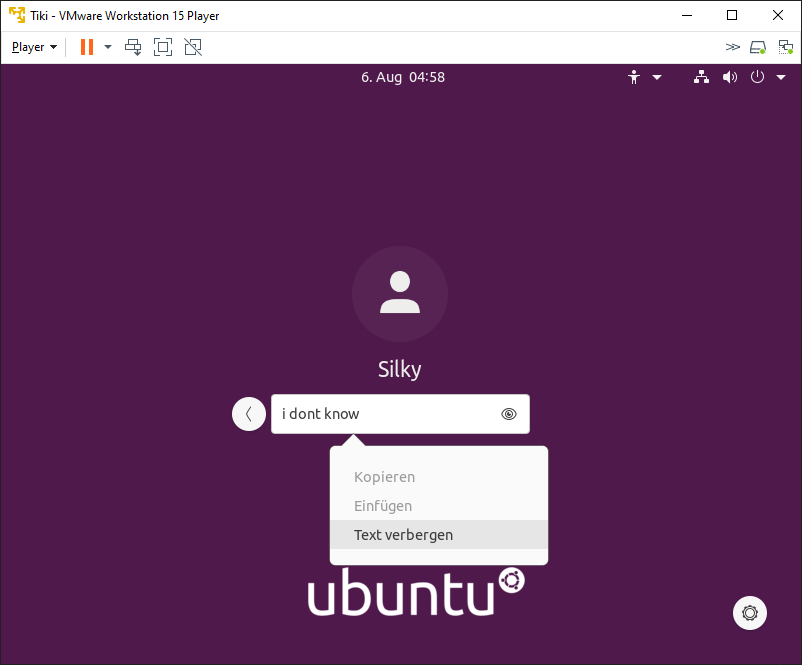
Target machine is up and running - time to hunt!
Attack Setup
Attack platform ready - let the games begin!
Attack Setup
Attack platform ready - let the games begin!
My trusty Kali machine is still running from the DarkHole 2 massacre (apparently it hasn't slept since that chaos), so at least I know my attack platform is ready to rock and roll.
sudo netdiscover -i eth0 -r 192.168.253.129/24Narrator voice: "And just like clockwork, there it was - 192.168.253.134, sitting there like a digital sitting duck, completely unaware of the storm that was about to hit."
Initial Web Recon
Classic default page - nothing says security like leaving defaults!
Initial Web Recon
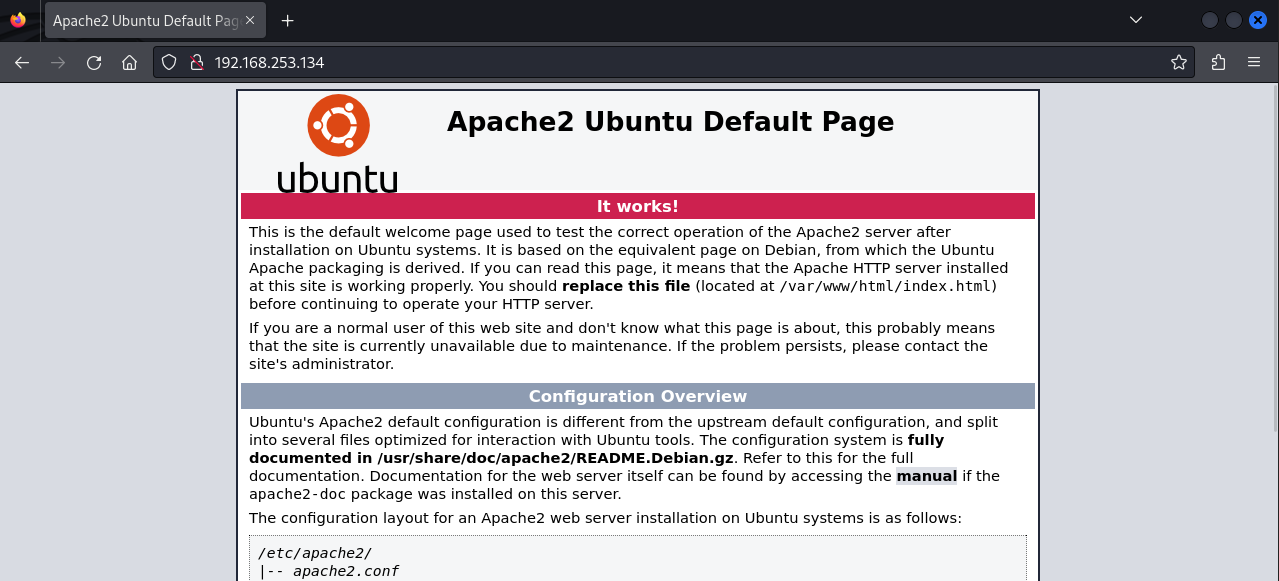
Classic default page - nothing says security like leaving defaults!
Ah yes, the classic Apache default page. Nothing says "I'm totally secure" like leaving the default web server page up. It's like leaving a sticky note on your front door that says "House key under the mat." But hey, at least now I know there's definitely a web server running - progress!
Phase 2: Port Scanning - The Technical Reconnaissance Symphony
Time to unleash the full power of nmap and see what services this machine is graciously exposing to the internet:
sudo nmap -sSCV -O -A -n --script vuln -Pn 192.168.253.134🔍 Nmap Flags Explained
- -sS: SYN Stealth Scan - Performs half-open connections, leaving minimal footprint in logs
- -sC: Default NSE Scripts - Executes Nmap's curated script collection for service enumeration
- -sV: Version Detection - Probes open ports to determine service/version information
- -O: OS Fingerprinting - Analyzes TCP/IP stack behavior to identify operating system
- -A: Aggressive Scan - Combines OS detection, version detection, script scanning, and traceroute
- -n: No DNS Resolution - Skips reverse DNS lookups for faster scanning
- --script vuln: Vulnerability Scripts - Runs NSE scripts specifically designed to detect known vulnerabilities
- -Pn: Skip Host Discovery - Treats target as online, bypassing ping probes
And boy, did this scan deliver some juicy results! The --script vuln flag immediately started lighting up like a Christmas tree, revealing multiple CVEs across different services. The most interesting findings were on the SMB ports - 139 and 445 - which were practically screaming "EXPLOIT ME!"
SMB Enumeration
Port 139 SMB vulnerabilities - a hacker's Christmas wishlist!
SMB Enumeration
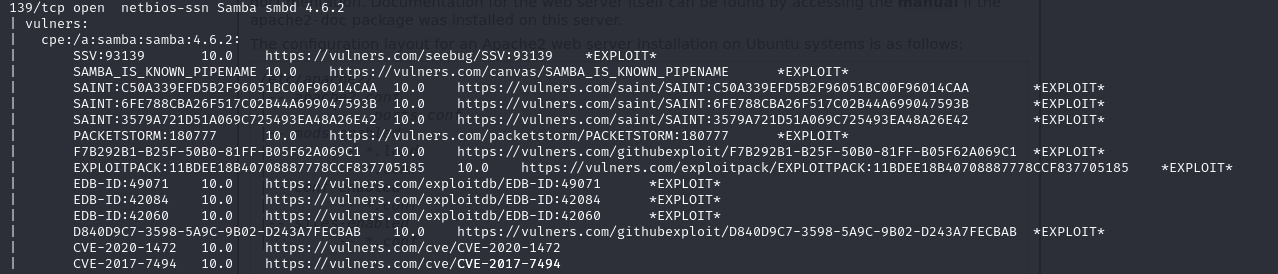
Port 139 SMB vulnerabilities - a hacker's Christmas wishlist!
SMB Analysis
Port 445 showing even more SMB vulnerabilities - jackpot!
SMB Analysis
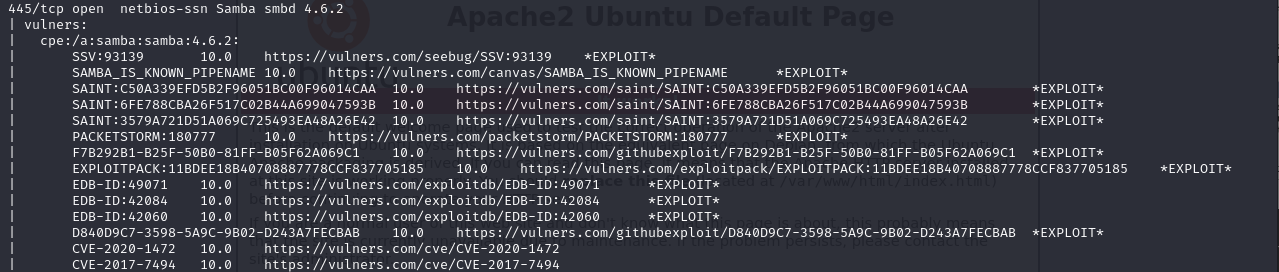
Port 445 showing even more SMB vulnerabilities - jackpot!
Look at all those beautiful vulnerabilities! It's like a hacker's buffet - so many choices, so little time. But before I dive into the SMB exploitation rabbit hole, let me check if there's more low-hanging fruit.
Phase 3: Web Application Discovery - Following the Breadcrumbs
Back to Firefox for some good old-fashioned web reconnaissance. One of my favorite starting points is always the robots.txt file - it's amazing how often developers accidentally tell attackers exactly where the interesting stuff is hidden.
And boom! There it is - a disallow entry for /tiki/. It's like the website is politely saying, "Please don't look at this super important directory that definitely contains all our sensitive stuff."
CMS Discovery
Found the Tiki CMS - notice that convenient login button!
CMS Discovery
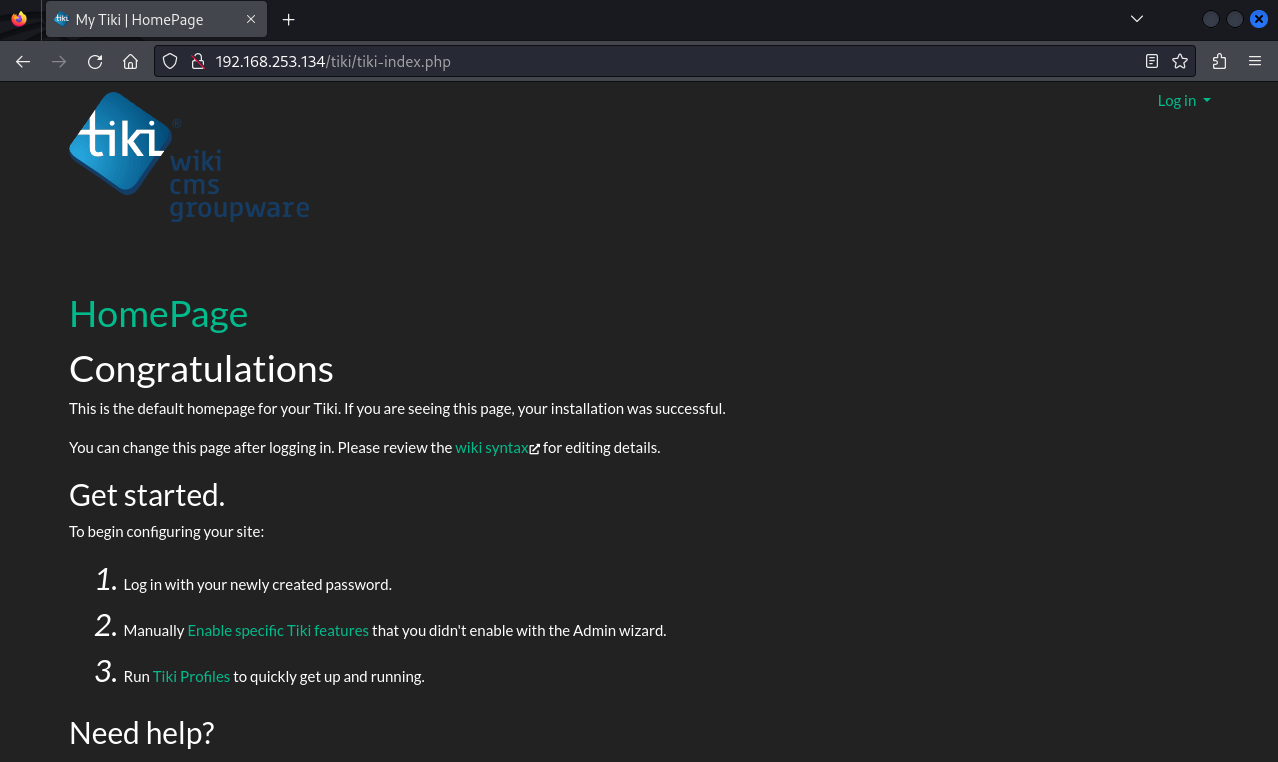
Found the Tiki CMS - notice that convenient login button!
When I navigate to /tiki/, it redirects me to /tiki/tiki-index.php, and suddenly everything makes sense. We're dealing with Tiki Wiki CMS! Notice that convenient "Log in" button in the top-right corner - we'll definitely be coming back to that later.
Directory & File Enumeration
Now I'm convinced there's more lurking beneath the surface than just tiki-index.php. Time to break out the big guns and do some serious directory enumeration. Let's fire up OWASP ZAP and see what treasures it can uncover!
Directory Enum
ZAP reveals the full Tiki CMS structure - so many endpoints!
Directory Enum
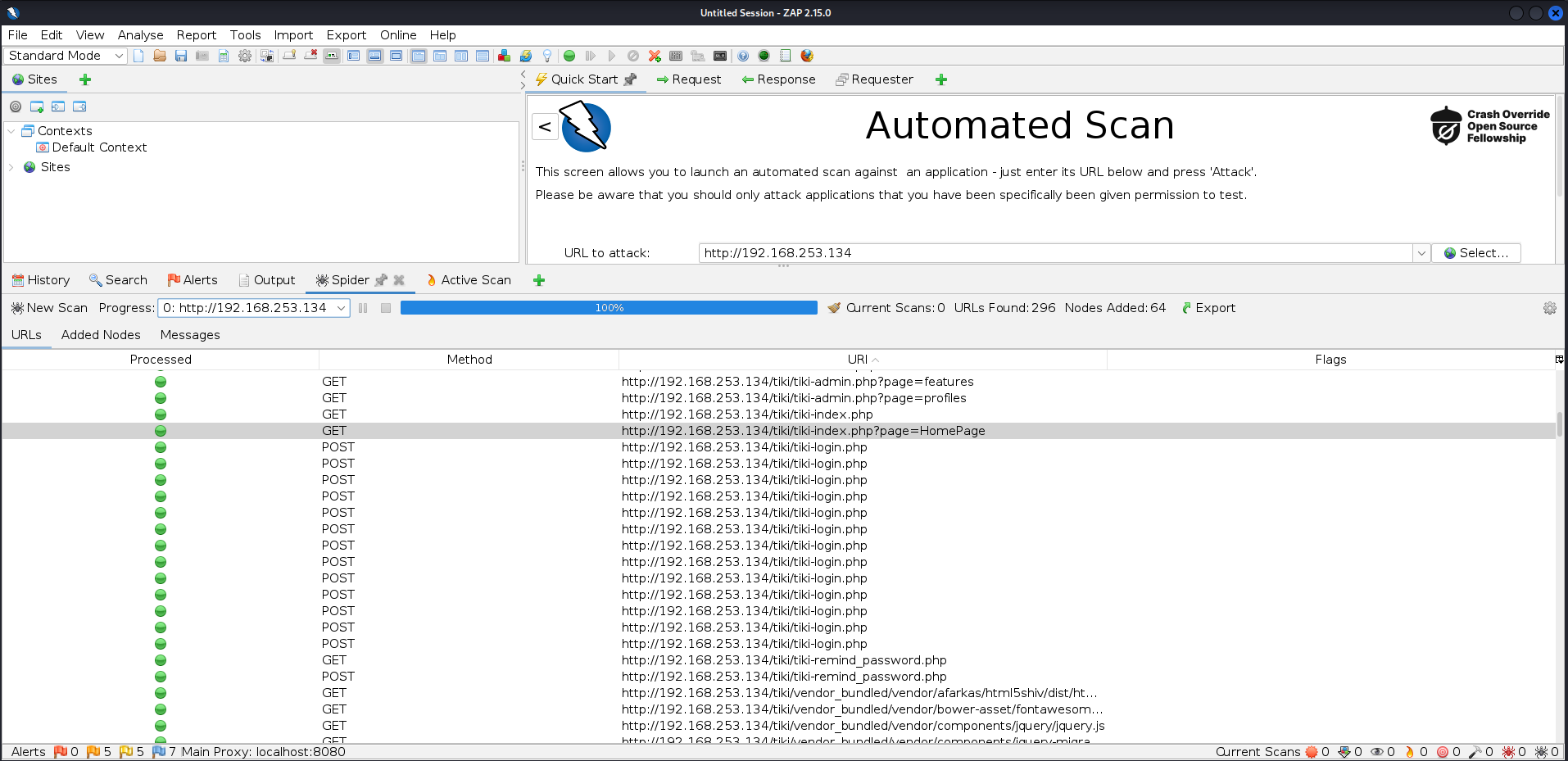
ZAP reveals the full Tiki CMS structure - so many endpoints!
Excellent! ZAP is revealing all sorts of interesting Tiki CMS files and directories. This confirms we're definitely dealing with a full Tiki installation, not just some random PHP files. But I want to be thorough, so let's also run some targeted fuzzing with wfuzz.
wfuzz -c -z file,/usr/share/seclists/Discovery/Web-Content/raft-medium-files.txt --hc 404,403 192.168.253.134/FUZZFuzzing Round 1
First wfuzz attempt - oddly sparse results, need to adjust strategy
Fuzzing Round 1
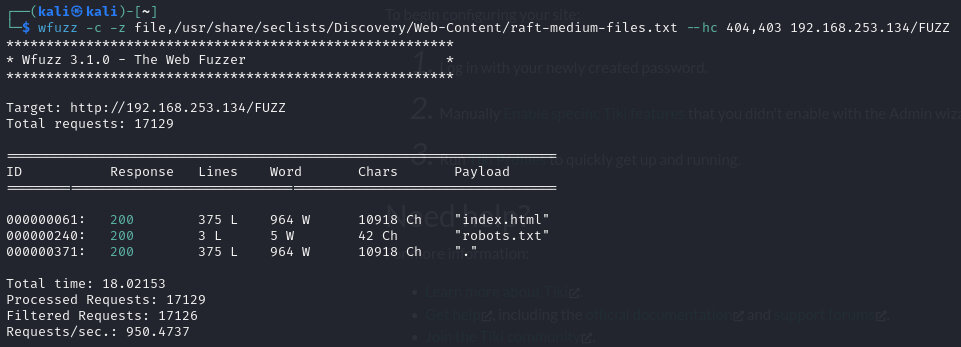
First wfuzz attempt - oddly sparse results, need to adjust strategy
Hmm, that's oddly sparse - only showing two files when we know there's definitely more content available. This is a classic case of needing to adjust your enumeration strategy. Since we know the Tiki installation is under /tiki/, let's target that specific directory with a more focused approach:
wfuzz -c -z file,/usr/share/seclists/Discovery/Web-Content/raft-medium-files.txt --hc 404 192.168.253.134/tiki/tiki-FUZZFuzzing Round 2
Much better! Targeted scanning reveals all the Tiki CMS files
Fuzzing Round 2
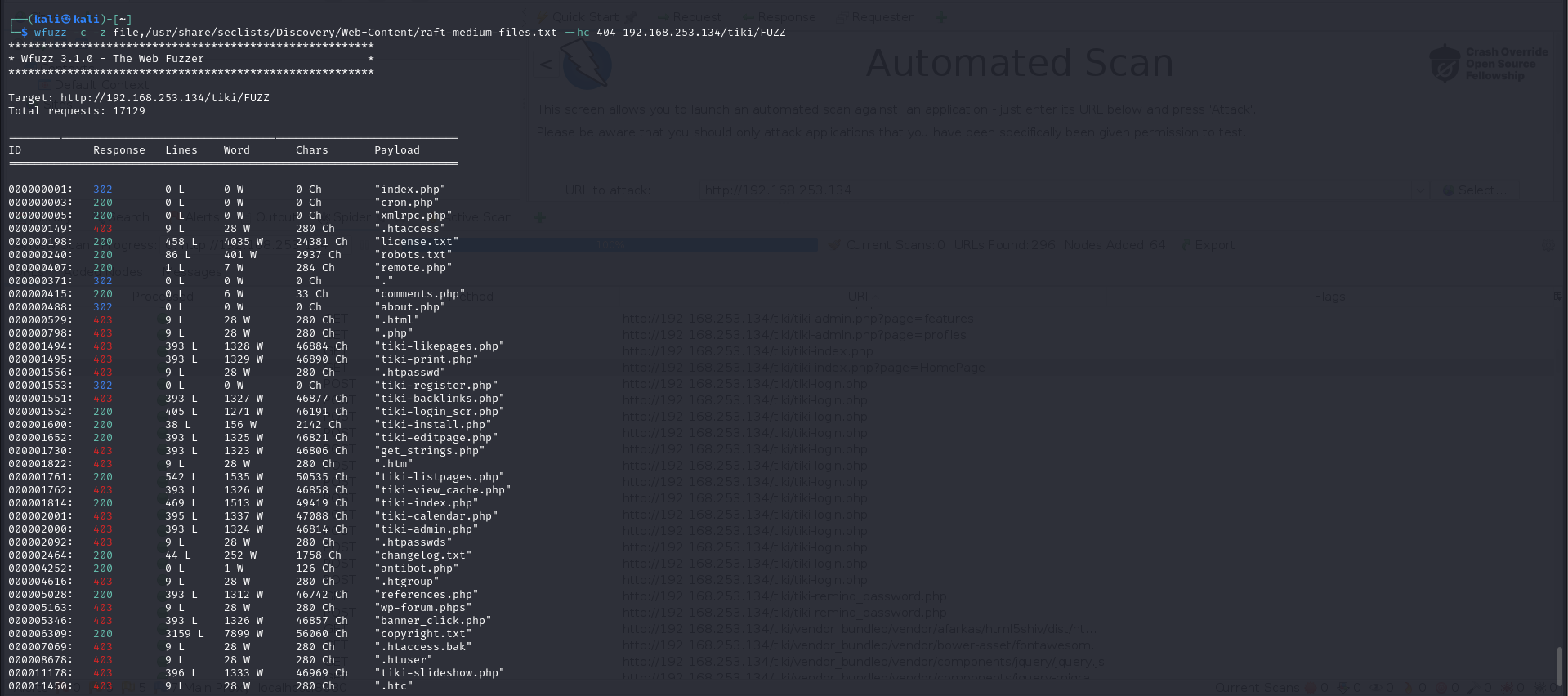
Much better! Targeted scanning reveals all the Tiki CMS files
Perfect! Now we're getting the full picture. This targeted approach reveals all those juicy Tiki CMS files that were hiding from our initial broad scan. The lesson here? Sometimes you need to be more surgical with your enumeration approach.
Login Discovery
The login page - locked down tight, we need credentials!
Login Discovery
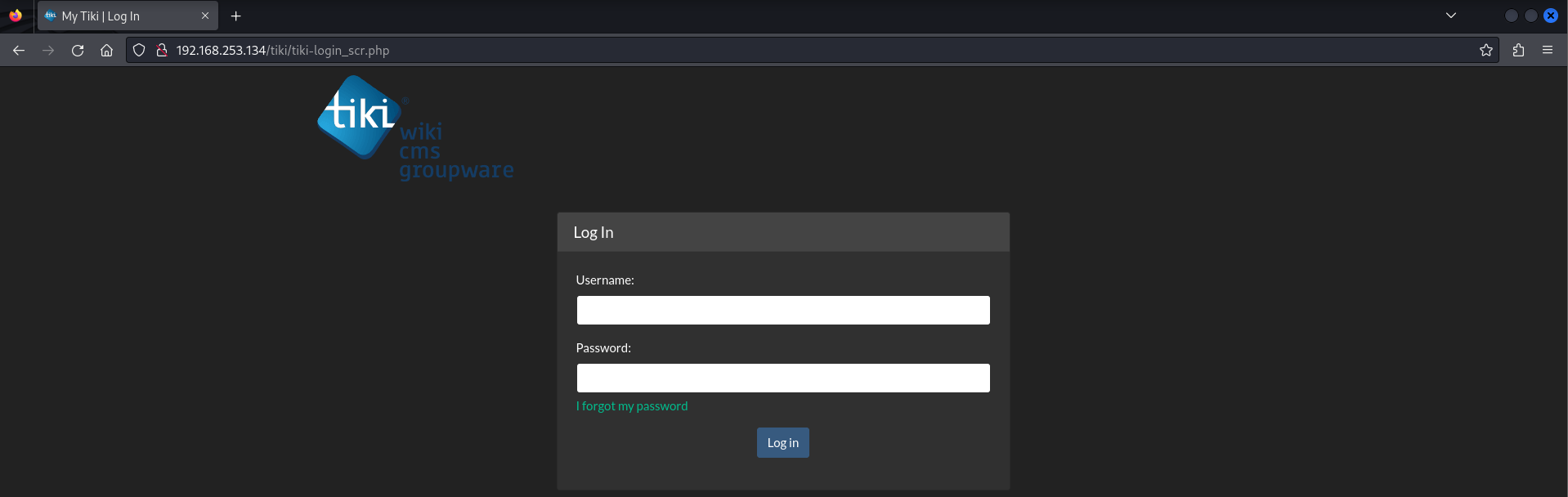
The login page - locked down tight, we need credentials!
Classic CMS login page - nothing too fancy, but it's definitely locked down tight. We need valid credentials to proceed. But remember those beautiful SMB vulnerabilities we discovered earlier? Let's circle back to that goldmine and see if we can extract some user information.
Phase 4: SMB Enumeration - The Gift That Keeps on Giving
Time to put those SMB services to work! Let's enumerate users and shares using the trusty enum4linux tool:
enum4linux -a 192.168.253.134SMB User Enum
enum4linux discovers users and shares - jackpot incoming!
SMB User Enum
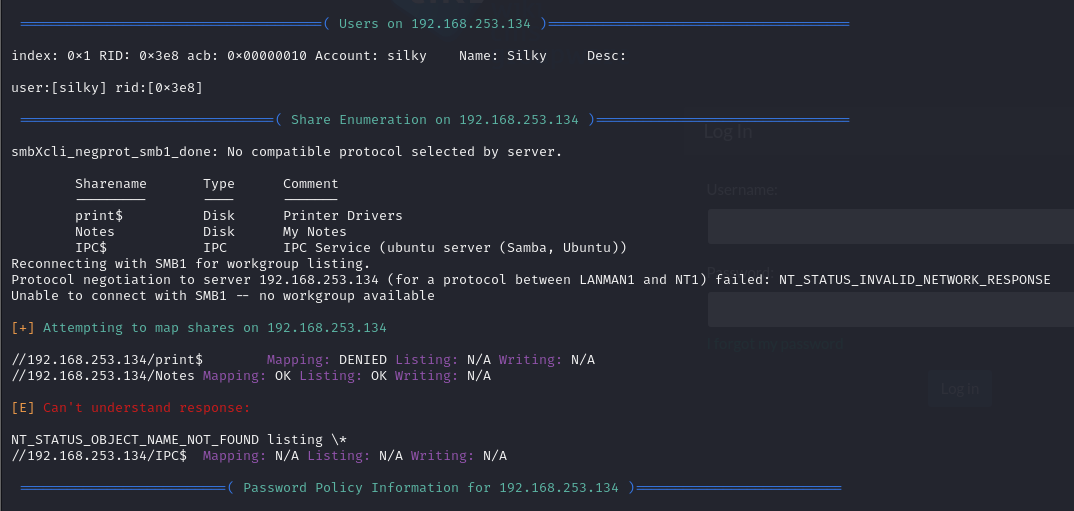
enum4linux discovers users and shares - jackpot incoming!
SMB Share Discovery
More enum4linux output - found user 'silky' and 'Notes' share!
SMB Share Discovery
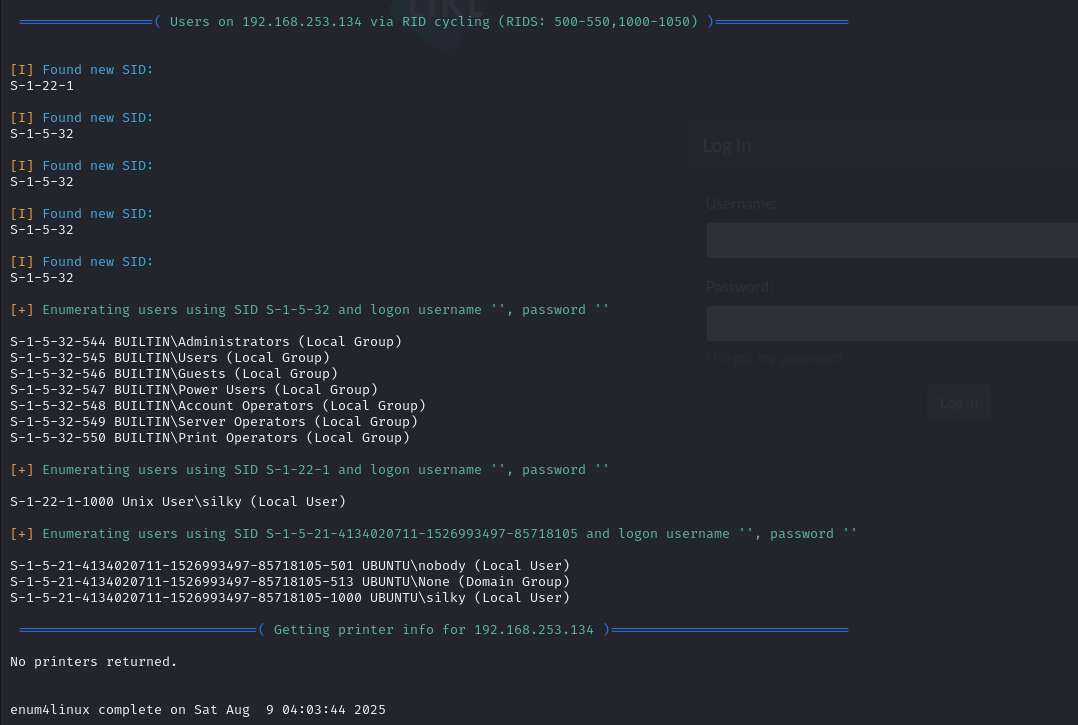
More enum4linux output - found user 'silky' and 'Notes' share!
Jackpot! Look at that beautiful output - we've discovered a user named silky and, more importantly, an SMB share called Notes. In my experience, anything called "Notes" in a corporate environment is basically a treasure chest of secrets that someone definitely shouldn't have left lying around.
Let's see what goodies are waiting for us in this Notes share:
smbclient //192.168.253.134/Notes -NCredential Discovery
HOLY SECURITY FAILURES! Plaintext password in SMB share!
Credential Discovery
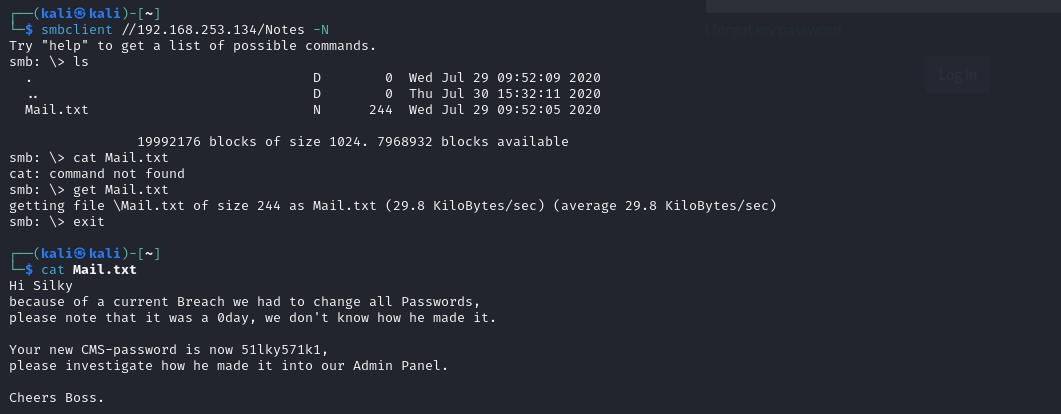
HOLY SECURITY FAILURES! Plaintext password in SMB share!
🚨 HOLY SECURITY FAILURES, BATMAN!
Are you seeing this? Someone literally stored the password 51lky571k1 for user silky in a plaintext file inside an unauthenticated SMB share called "Mail.txt". This is like leaving your house key under the doormat, except the doormat is labeled "HOUSE KEY HERE" in neon lights.
This is exactly why security professionals have trust issues. Let's take these credentials and see what damage we can do:
🔑 Discovered Credentials
Username: silky
Password: 51lky571k1
Initial Access
Success! Logged into Tiki CMS as user silky
Initial Access
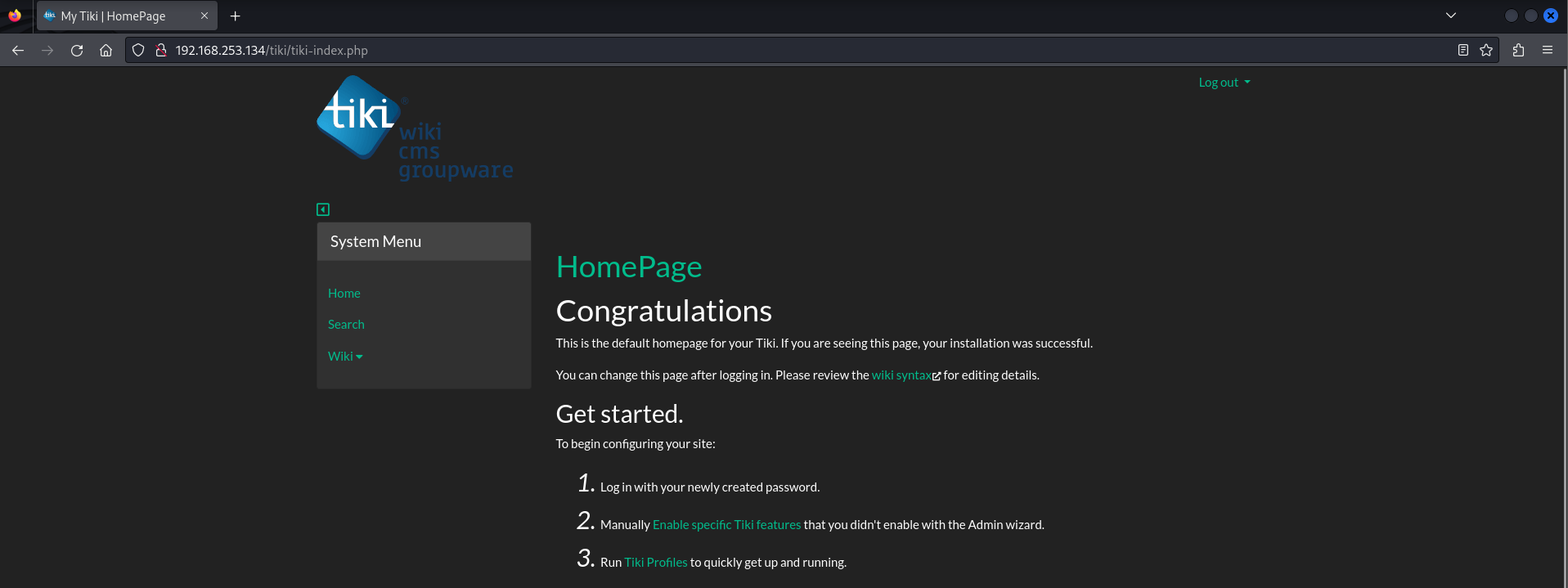
Success! Logged into Tiki CMS as user silky
Success! We're now logged into the Tiki CMS as user silky. But here's the thing about security testing - you don't stop at the first access. Always escalate, always dig deeper.
Phase 5: Version Fingerprinting & Vulnerability Research
Now that we're inside, let's gather some intelligence. First, I notice there are actually TWO different robots.txt files - one at the root and another under /tiki/. Let's check both:
Info Gathering
Tiki-specific robots.txt reveals more hidden directories
Info Gathering
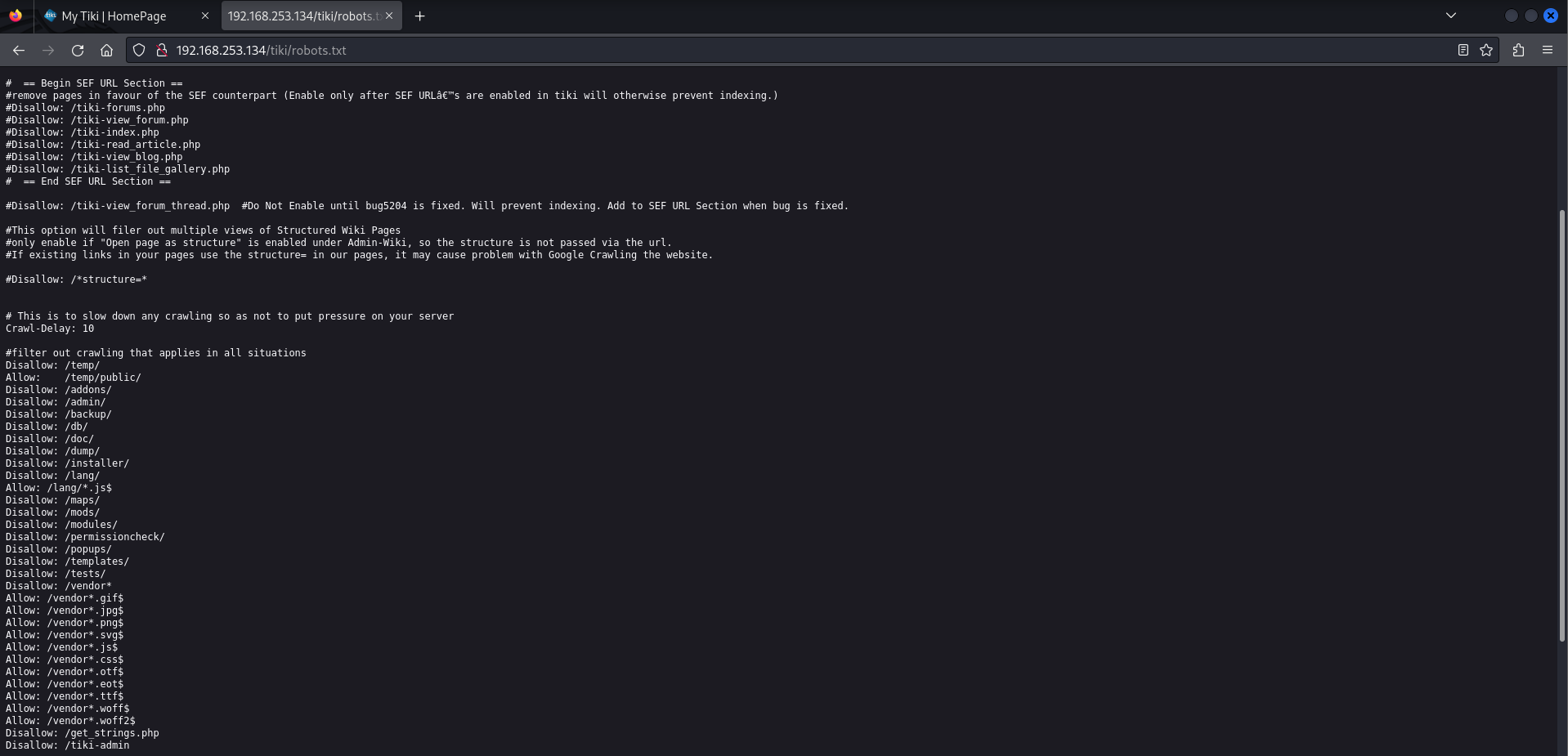
Tiki-specific robots.txt reveals more hidden directories
Interesting findings in the Tiki-specific robots.txt! But more importantly, let's identify the exact version we're dealing with by checking the changelog:
Version Discovery
BINGO! Tiki CMS version 21 - time to hunt for exploits
Version Discovery
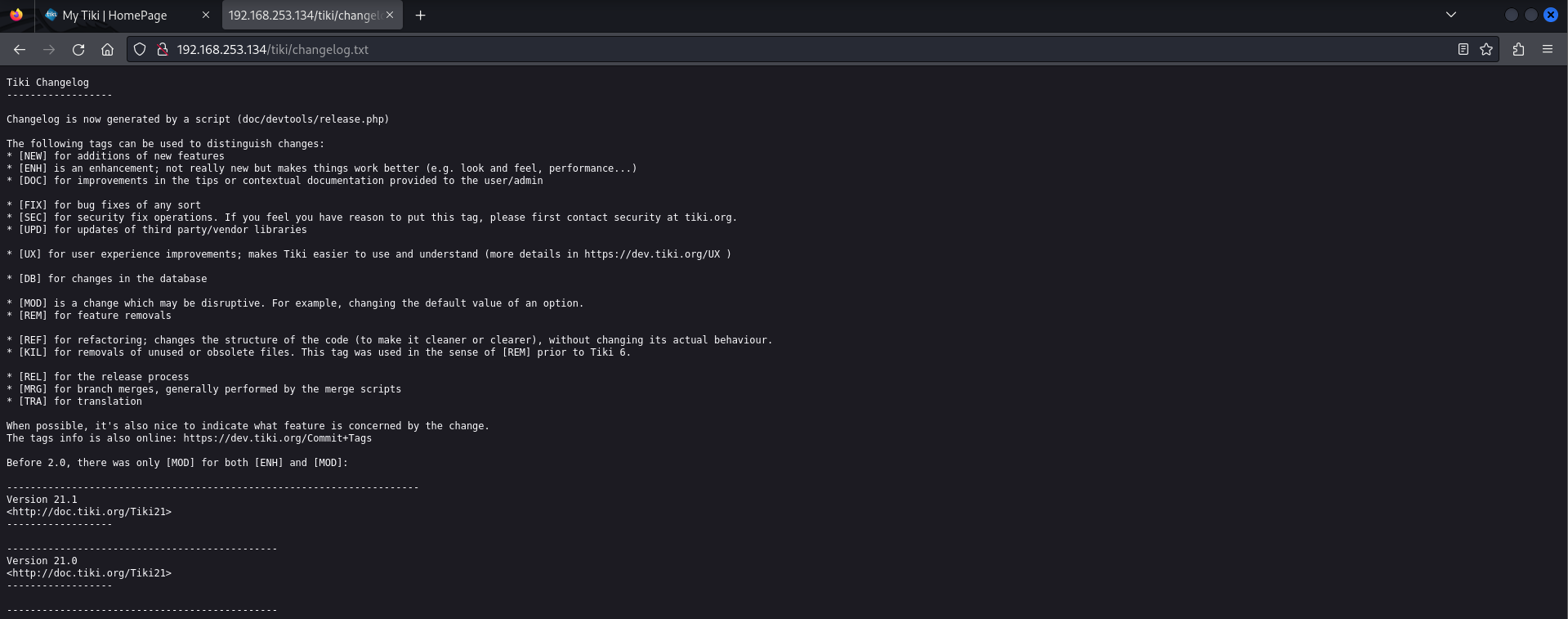
BINGO! Tiki CMS version 21 - time to hunt for exploits
🎯 Target Identified
We're dealing with Tiki CMS version 21. This is crucial information because now we can search for version-specific vulnerabilities.
Time to consult the exploit database:
searchsploit tiki 21Exploit Research
Found it! CVE-2020-15906 authentication bypass for Tiki 21
Exploit Research

Found it! CVE-2020-15906 authentication bypass for Tiki 21
💀 Critical Vulnerability Found
And there it is - CVE-2020-15906, a beautiful authentication bypass vulnerability specifically targeting Tiki CMS 21! This CVE allows us to completely bypass the admin authentication mechanism by exploiting a flaw in the password reset functionality.
Phase 6: CVE-2020-15906 Exploitation - Admin Password Reset Bypass
Let's grab this exploit and unleash some chaos:
searchsploit -m php/webapps/48927.pypython3 48927.py 192.168.253.134CVE Exploitation
BOOM! Exploit successful - admin password has been removed!
CVE Exploitation
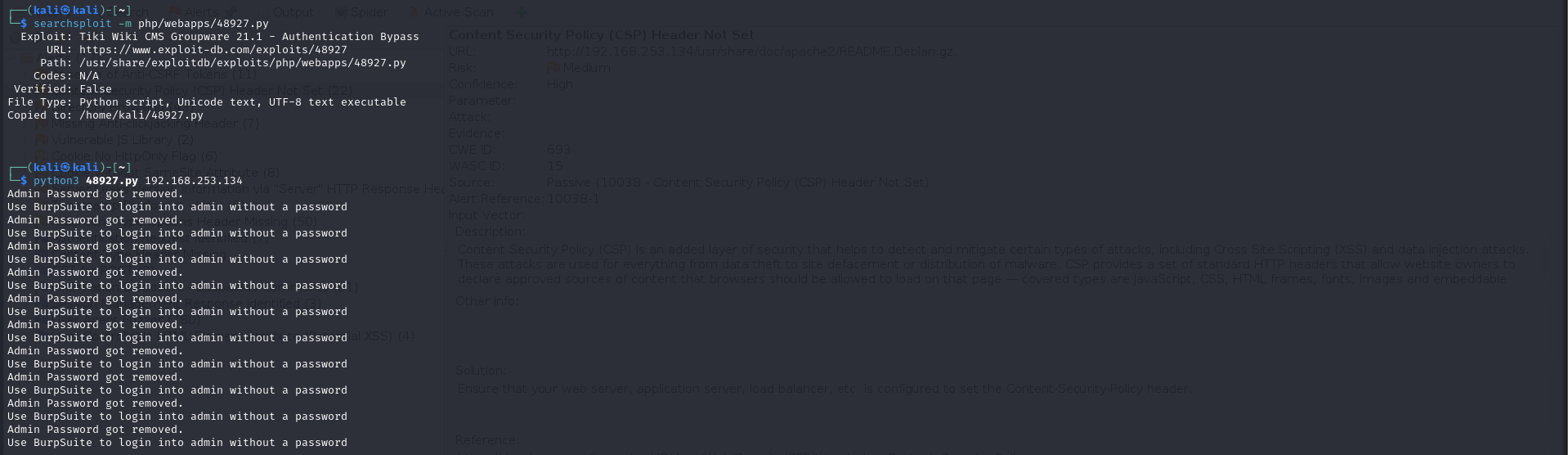
BOOM! Exploit successful - admin password has been removed!
✅ Exploit Success!
BOOM! The exploit has successfully removed the admin password! This CVE-2020-15906 vulnerability works by manipulating the password reset mechanism in Tiki CMS 21, essentially clearing the admin password hash and allowing authentication without any password verification.
Now for the fun part - let's intercept the admin login process with Burp Suite to complete this authentication bypass:
- 1. Log out of the current
silkysession - 2. Attempt to log in as
adminwith any dummy password - 3. Intercept the request in Burp Suite
- 4. Remove the password parameter from the POST request
- 5. Forward the modified request
Request Manipulation
Intercepting admin login - about to remove password field
Request Manipulation
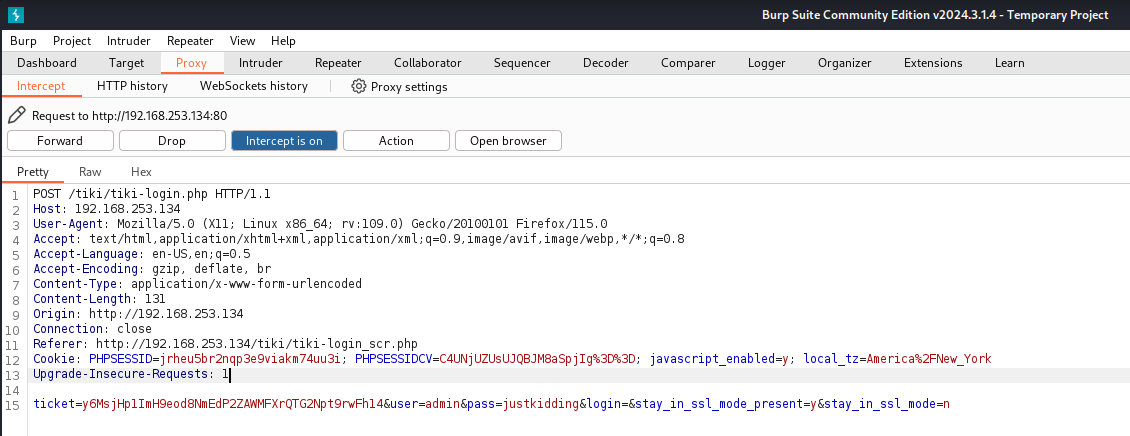
Intercepting admin login - about to remove password field
Here I'm using the dummy password justkidding, but the magic happens when we remove the password field entirely from the POST request, thanks to our CVE-2020-15906 exploit preparation.
Auth Bypass
Browser prompting to resend - normal behavior for this exploit
Auth Bypass
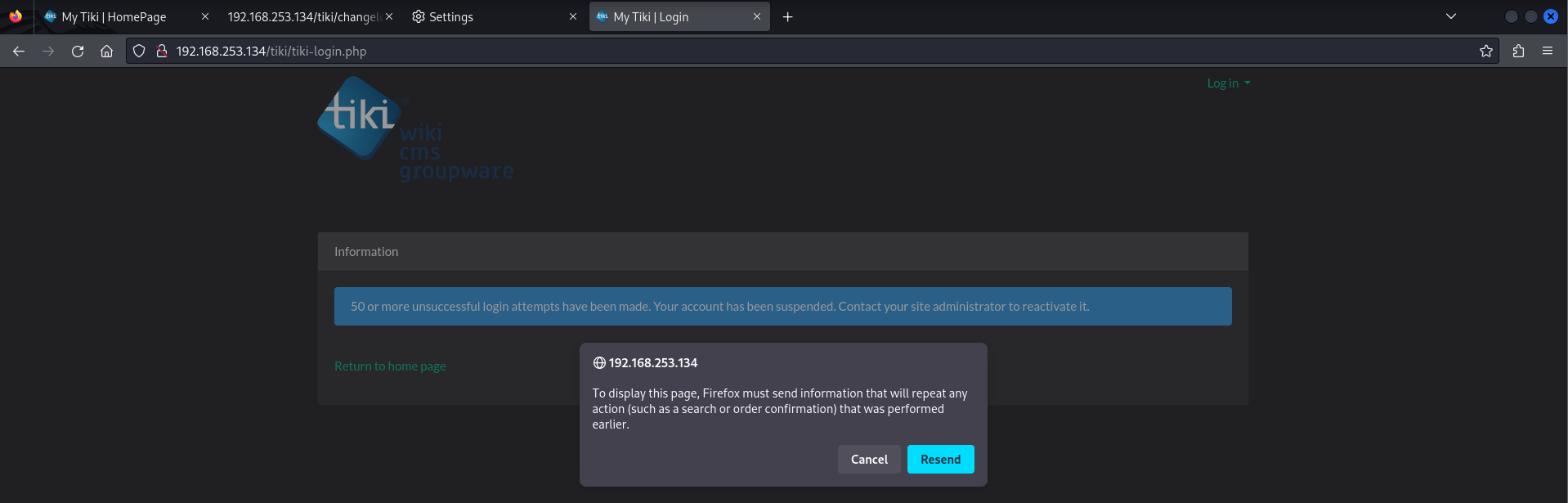
Browser prompting to resend - normal behavior for this exploit
The browser might prompt you to resend the request a few times - this is normal behavior for this particular exploit chain. After 2-3 attempts, the authentication bypass kicks in and we gain full administrative access!
And just like that, we've escalated from regular user to admin using a critical authentication bypass vulnerability. Time to explore what administrative secrets this CMS is hiding.
Phase 7: Post-Exploitation Intelligence Gathering
Now that we're admin, let's see what treasures await us in the administrative interface. I'm particularly interested in any configuration pages or user-generated content that might contain additional credentials.
Clicking through the Wiki dropdown and selecting "List Pages" reveals something absolutely mind-boggling:
Wiki Discovery
WAIT WHAT?! There's a wiki page called 'Credentials'?!
Wiki Discovery
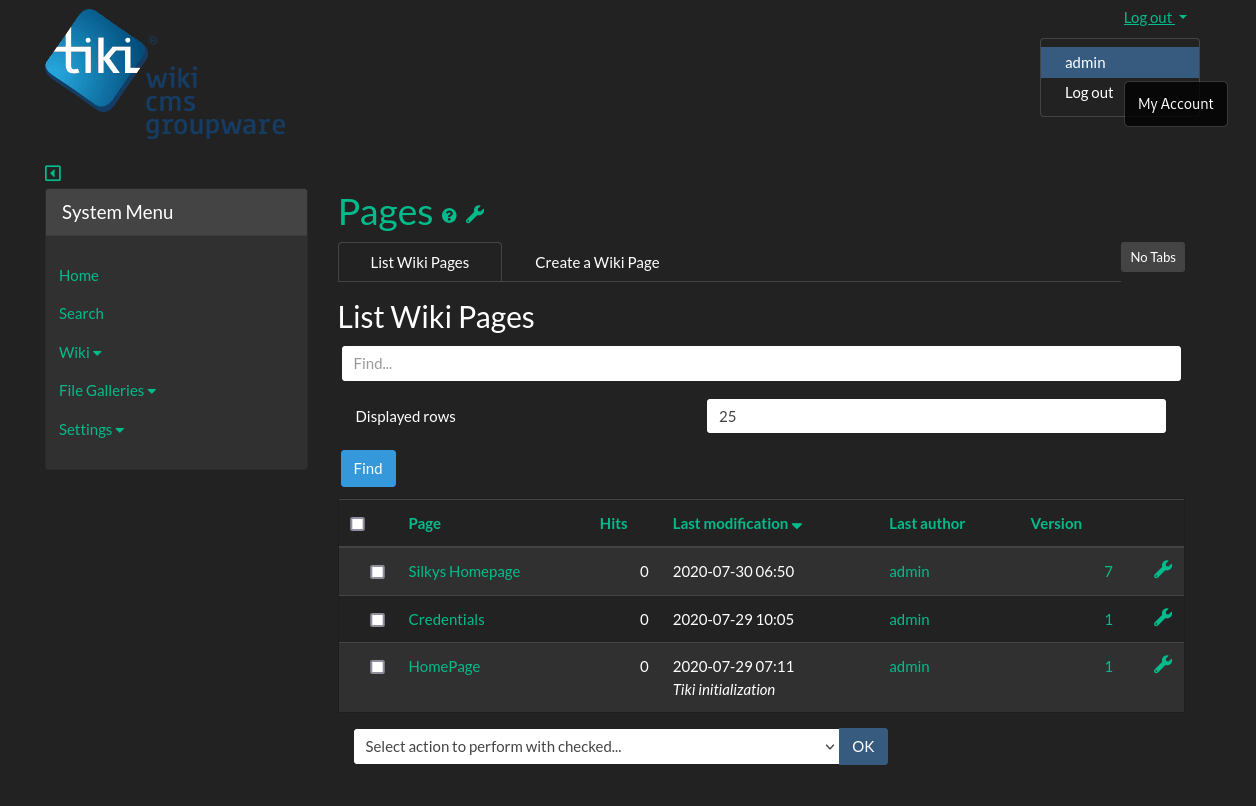
WAIT WHAT?! There's a wiki page called 'Credentials'?!
🤯 WAIT, WHAT?!
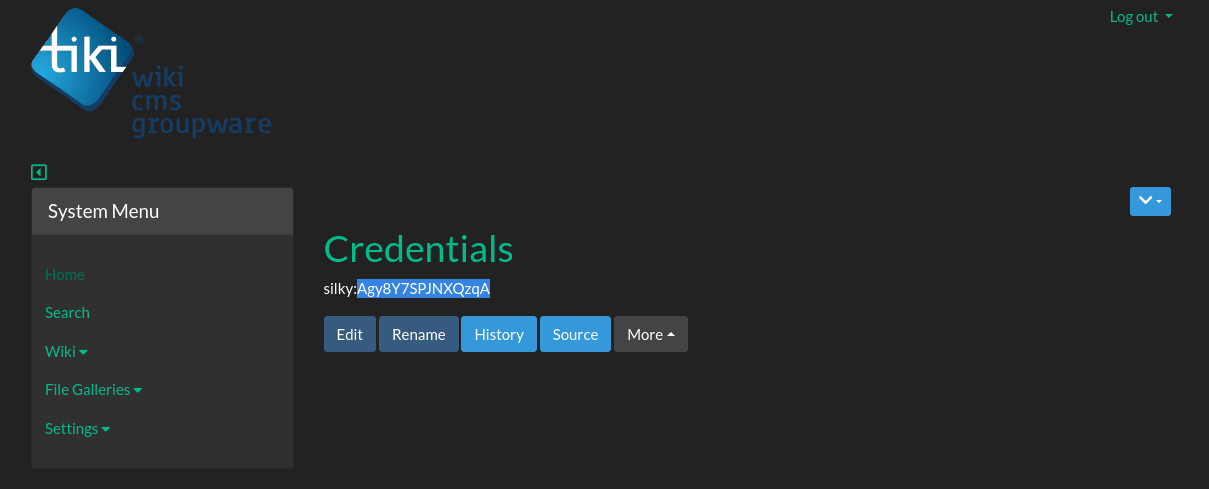
There's a Wiki page literally called "Credentials"? Who in their right mind creates a publicly accessible wiki page with that name? This is like putting a giant billboard that says "FREE PASSWORDS HERE!"
Let's see what genius decided to document their SSH credentials in a wiki:
SSH Creds Found
I'm speechless - SSH credentials documented in a public wiki!
SSH Creds Found
I'm speechless - SSH credentials documented in a public wiki!
😶 I'm Speechless
Absolutely speechless. They've documented SSH credentials for user silky with password Agy8Y7SPJNXQzqA right there in a wiki page. This machine is the gift that keeps on giving when it comes to security anti-patterns.
Phase 8: SSH Access & Privilege Escalation - The Final Countdown
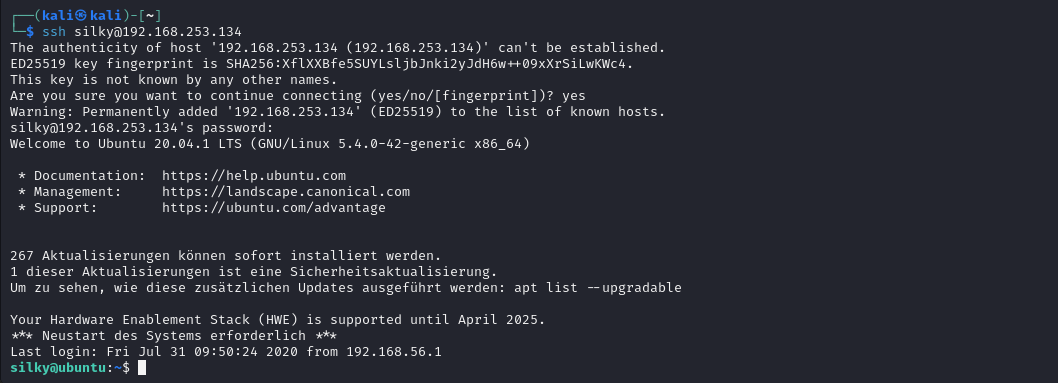
With these shiny new SSH credentials in hand, let's establish a proper shell connection:
ssh silky@192.168.253.134SSH Access
Beautiful! SSH access confirmed - time to check permissions
SSH Access
Beautiful! SSH access confirmed - time to check permissions
Beautiful! SSH access confirmed. Now let's see what kind of privileges our user silky has on this system:
sudo -lPrivilege Check
ARE YOU KIDDING ME?! Full sudo permissions for silky!
Privilege Check

ARE YOU KIDDING ME?! Full sudo permissions for silky!
🤦♂️ ARE YOU KIDDING ME?!
User silky has ALL=(ALL:ALL) ALL sudo permissions? This means they can run ANY command as ANY user without restrictions. This is the equivalent of giving someone the master key to your entire digital kingdom and then also giving them the deed to the property.
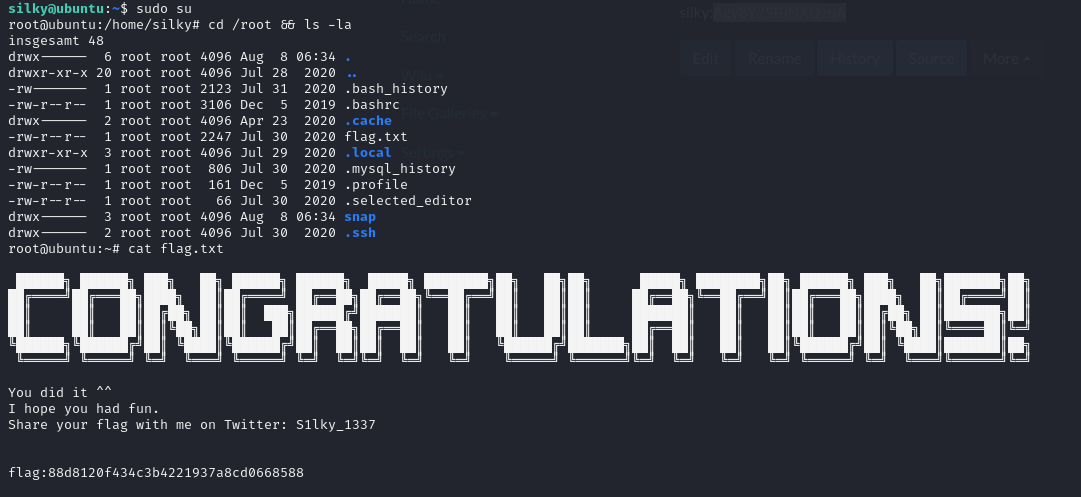
At this point, privilege escalation is trivial:
sudo su -cd /rootls -laFlag Capture
FLAG CAPTURED! The crown jewel has been claimed!
Flag Capture
FLAG CAPTURED! The crown jewel has been claimed!
🏁 FLAG CAPTURED!
And there it is - the crown jewel we've been hunting for! Complete system compromise achieved through a beautiful chain of security failures.
Summary - A Masterclass in "How NOT to Secure Anything"
Well folks, that was quite the journey! This Tiki-1 machine was like a perfect storm of security failures, each one more spectacular than the last. Let me recap this beautiful disaster:
🏆 The Security Hall of Shame
- • Unauthenticated SMB Share containing plaintext passwords in "Mail.txt"
- • CVE-2020-15906 Vulnerability allowing complete admin authentication bypass
- • Public Wiki Page documenting SSH credentials for all to see
- • Unrestricted Sudo Access for regular user accounts
- • Information Disclosure via multiple robots.txt files and changelog exposure
🎯 Technical Lessons Learned
CVE-2020-15906 is a particularly nasty vulnerability that affects Tiki CMS 21. The flaw lies in the password reset mechanism, where an attacker can manipulate the reset process to completely clear the admin password hash. This allows authentication as admin without any password verification whatsoever.
Attack Chain Summary:
- 1. Network discovery reveals target with multiple exposed services
- 2. SMB enumeration exposes plaintext credentials
- 3. Initial CMS access via discovered credentials
- 4. Version fingerprinting identifies vulnerable Tiki CMS 21
- 5. CVE-2020-15906 exploitation grants admin access
- 6. Information disclosure reveals SSH credentials
- 7. SSH access combined with sudo misconfiguration leads to root compromise
💡 The Real-World Implications
This machine perfectly demonstrates why layered security is crucial. Even if one vulnerability had been patched, the multiple other security failures would have still led to complete system compromise. It's a reminder that security is only as strong as its weakest link - and this machine had more weak links than a dollar store chain.
Thanks for joining me on this wild ride through digital chaos! Remember: if you're ever building a system, please do the exact opposite of everything we saw here. Your future self (and your security team) will thank you! 🎯
Educational Purpose
This writeup is for educational purposes only. All techniques demonstrated should only be used on systems you own or have explicit permission to test.